AI summary
An AI summary is a component that reads every other component on its tab and writes the commentary: what the data says, what changed, what looks unusual. One summary per tab, shared with everyone who opens the dashboard.
It turns a wall of charts into a paragraph a colleague can actually act on.
Add one
Add an AI summary from the dashboard's add-component menu, exactly like a chart or a table. If the tab already has one, the option is disabled — "This tab already has an AI summary" — because one summary per tab is the point.
The empty component explains itself:
Axi reads this tab's widgets and writes a shared summary everyone can see. Pick the sections you care about, then generate.
Choose the sections
Pick the angles you want covered:
- Overview — the state of play across the tab
- Evolutions — what moved, and by how much
- Anomalies — what looks out of the ordinary
- Comparison — how things compare against each other
Then click Generate. Fewer sections make a sharper, more readable summary — pick what your readers actually need. If a summary runs long it gets cut off, and Axiome tells you so: "This summary was cut off by its length budget — try selecting fewer sections."
Choosing sections and generating both need the dashboard in Edit mode — they change what everyone sees. In View mode you get the summary text and its freshness badge, without the controls.
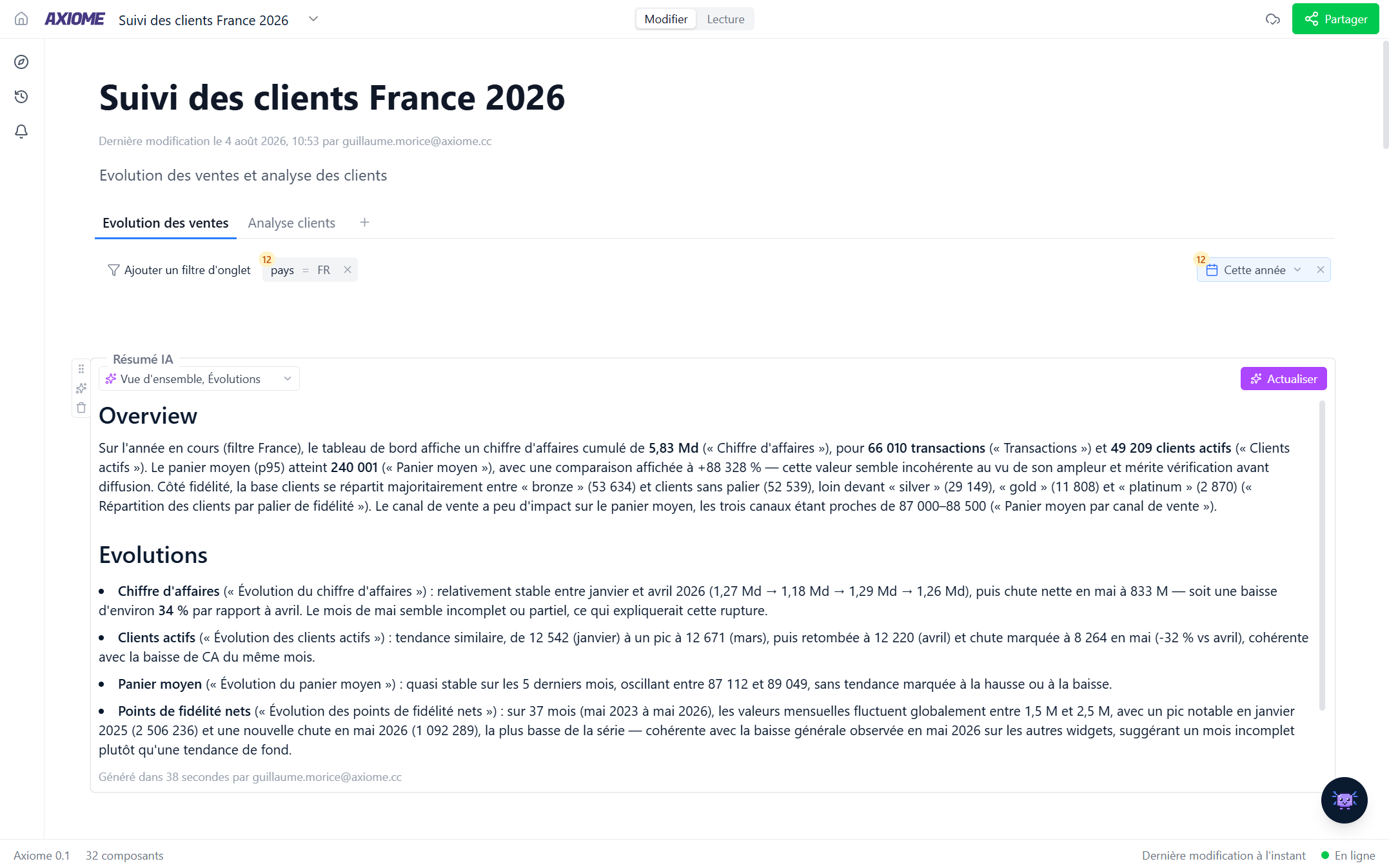
Shared, not personal
The summary is saved on the dashboard, not generated per reader. Everyone sees the same text, with a Generated {time} by {user} line so you know how fresh it is. If a colleague is already generating it, Axiome tells you and the result appears shortly — no duplicate work.
Keeping it current
The summary is a snapshot of the tab at generation time. Change the tab afterwards — add a chart, change a filter — and the component shows an Outdated badge:
The tab changed since this summary was generated. Refresh to update it.
Switch to Edit mode and click Refresh to rewrite it against the current state. It doesn't refresh itself, deliberately: you decide when the commentary is re-issued, and your readers aren't shown text that quietly changed underneath them.
Summaries and your AI credits
Generating or refreshing a summary uses your AI credits — the text is shared, but the click is yours. If your monthly credits are used up, the generation fails with "Your monthly AI credits are used up — they reset on the 1st." Summaries delivered by scheduled reports don't consume anyone's credits.
Deliver it to Slack
An AI summary can also be scheduled to Slack — daily, weekly, or monthly — with its own choice of sections. See Scheduled reports.
A summary reads best as the first thing on the tab: the reader gets the story, then scrolls into the evidence.