Meet Axi
Axi is Axiome's built-in AI data analyst. Ask questions in plain language — English or French — and it answers with real numbers, builds widgets, or explains what it sees in your data.
Where to find Axi
- Home — a full page dedicated to talking with Axi. Ask exploratory questions, get analyses, and keep any widget Axi produces with Add to dashboard. The Conversations sidebar keeps your past threads, and New conversation starts a fresh one.
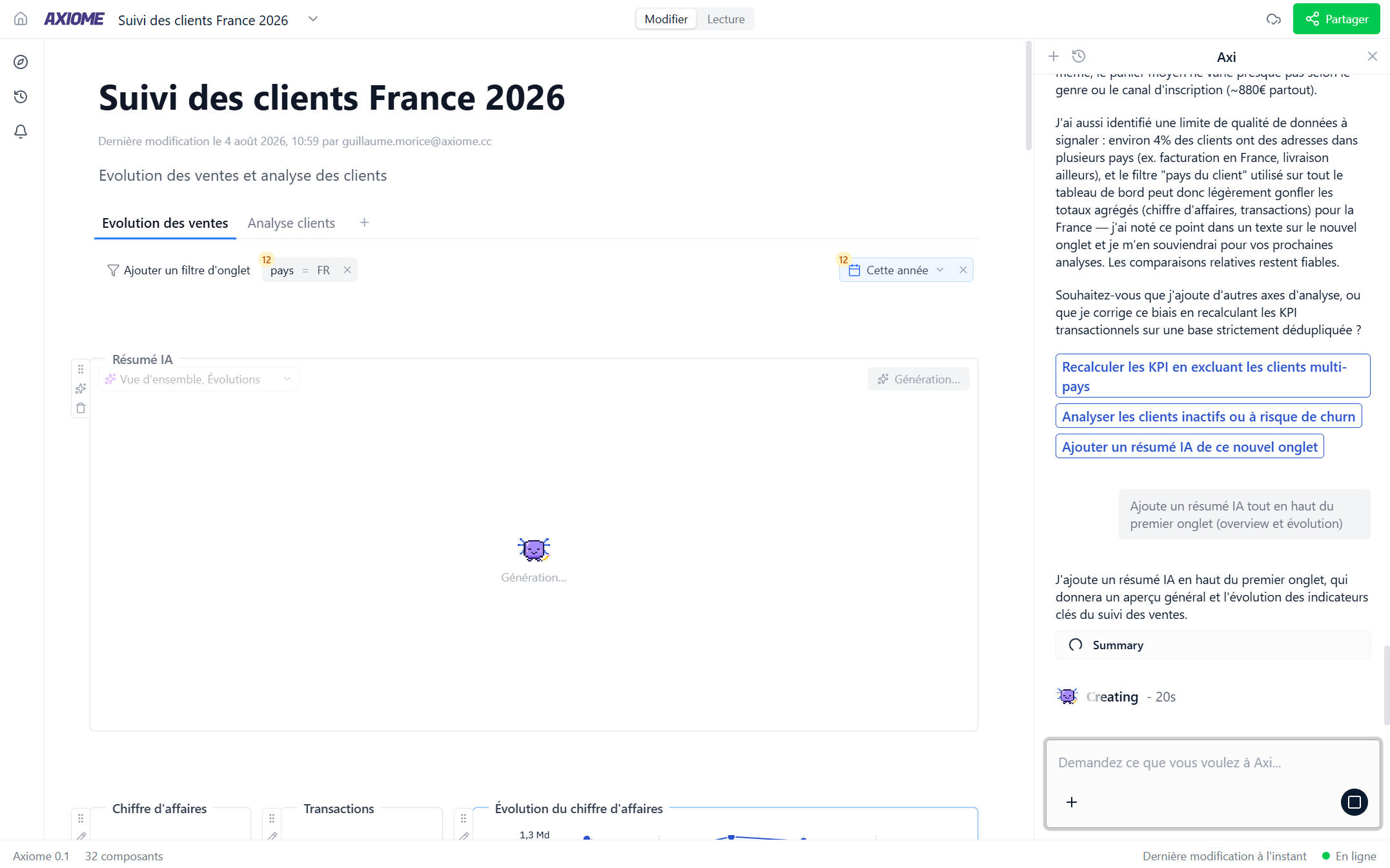
- In a dashboard — open the Axi panel with Ask Axi. There, Axi sees the dashboard and can create, edit, move, and delete widgets directly. Everything it does is listed in the dashboard's History under its own name.
- On a widget — every widget has an Ask Axi to edit action for targeted changes ("make this a monthly line chart"), and charts offer Explain this data on any point.
How conversations work
- A conversation is a thread — Axi remembers the context of what you've discussed in it.
- Keep typing while Axi works: your messages queue up and run one at a time, in order. You can remove a queued message before its turn.
- If someone else's Axi is working on a dashboard you're viewing, you'll see it live and can reply once it finishes.
Ask Axi about Axiome itself
Axi has read this documentation. Beyond your data, you can ask it how the product works — "how do I share a dashboard?", "what's the difference between a measure and a metric?", "can I schedule a report to Slack?" — and it answers from these pages, with a link so you can read the details.
It answers in your language, from the documentation written in that language. And when the documentation doesn't cover something, Axi says so rather than inventing an answer.
Axi also knows whether you're an administrator. If the answer involves a screen only administrators can open — connections, the semantic model, users, integrations — it tells you that instead of walking you through steps you couldn't follow, so you know exactly what to ask your administrator for. See Users and roles for what the two roles can do.
Your monthly AI credits
Depending on your workspace's plan, each member has a monthly allowance of AI credits.
- A small meter in the chat input shows where you stand this month — 640 / 1000, for example. Credits reset on the 1st of each month.
- Talking with Axi uses your credits, and so does refreshing an AI summary. Nothing else in Axiome is metered — dashboards, queries and alerts keep working as usual.
- When your credits are used up, the chat input is disabled with the notice "Your monthly AI credits are used up — they reset on the 1st." If that blocks you, talk to a workspace administrator — they can see the whole workspace's usage in Settings → Admin → Usage.
If your plan has no credit limit, the meter simply doesn't appear.
Why you can trust the numbers
Axi doesn't improvise. It reads your data through the same governed definitions as every chart and table in Axiome — the same revenue, the same conversion rate, defined once by your administrators. If a question can't be answered correctly from your data, Axi says so instead of guessing.
And everything Axi touches is attributed to Axi in the dashboard history — you always know what the AI did.
Put it to work
- Analyzing your data with Axi — questions, follow-ups, explanations of odd numbers.
- Building with Axi — creating and editing widgets and dashboards.
- Context and memory — teach Axi about your business once, instead of re-explaining.
Axi can also set up your alerts and scheduled reports — just describe what you want to be told about.
Axi finds your data by the names your administrators gave it. If it doesn't know a term your team uses, tell your administrator — adding the right names and descriptions is their superpower.