Context and memory
Your data holds the numbers, but not the story around them: that April was weak because the bank holidays fell on Saturdays, that "active customer" means an order in the last 90 days, that you look after the German market.
Axiome gives you two ways to hand Axi that knowledge once, instead of retyping it in every conversation.
| Context | Memory | |
|---|---|---|
| What | A document you write | Short facts Axi saves as you work |
| Who writes it | You | Axi |
| Where | Settings → Account → Context | Settings → Account → Memory |
| You can | Write and edit freely | Read, and delete your own |
Both are read by Axi before every analysis, in every conversation.
Your context
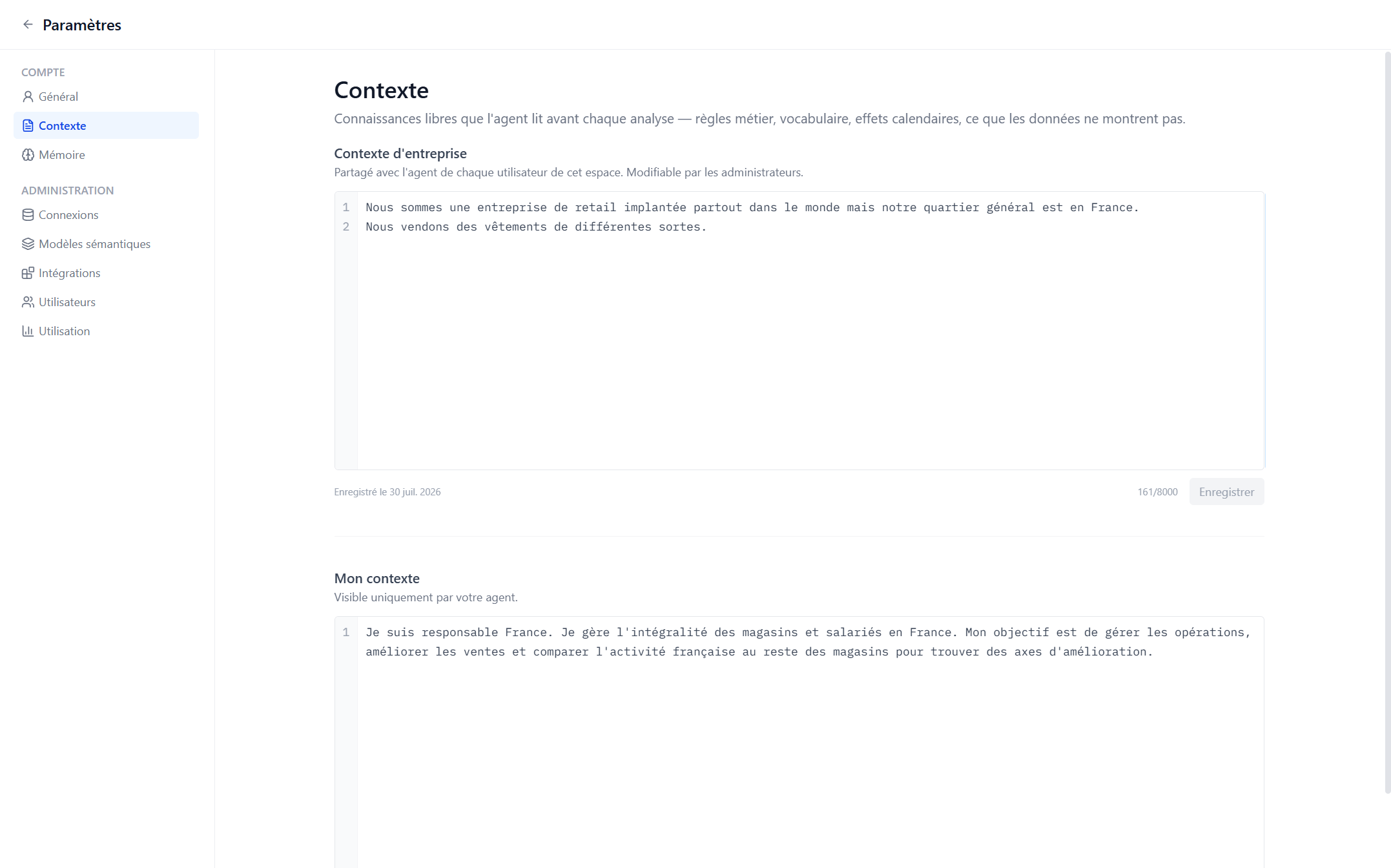
Go to Settings → Account → Context. You'll find two documents:
- My context — "Only your own agent sees this." Anything Axi should always know when working with you.
- Company context — "Shared with every user's agent in this workspace. Managed by your admins." You can read it (it shapes your answers too), but only administrators edit it.
Write My context in plain sentences, one idea per line. The placeholder shows the spirit:
I mostly look after the German market. I prefer monthly granularity in analyses.
Good things to put there: your scope, your habits, how you like results presented, the definitions your team uses. Click Save — it's kept until you change it, and emptying the document removes it.
What Axi remembers
Axi also builds up its own memory as you work. When you state something durable about your business, it offers to remember it. And when you say so explicitly, it just does:
"Remember that our fiscal year starts in February."
Each memory is a single short fact (up to 500 characters) with the date it was saved. Some are tied to one data source (a quirk of that warehouse); others apply everywhere. You can hold up to 100 personal memories.
Axi is deliberately picky about what it keeps: durable facts only — business rules, calendar effects, data quirks. Not what you discussed last Tuesday, and never a number it can recompute from your data.
Personal and company memories
The list holds two kinds:
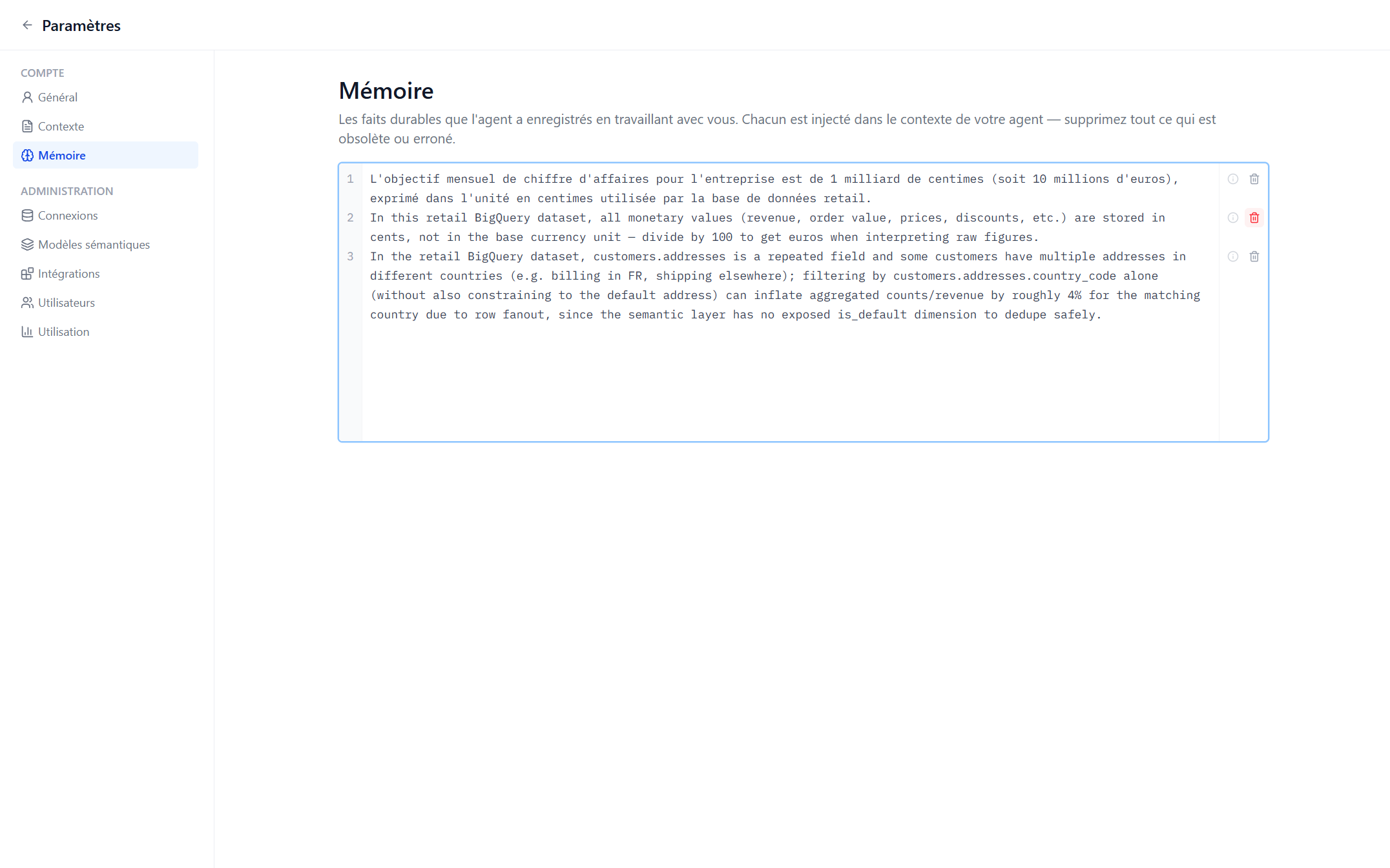
- Your own memories — saved while Axi works with you, visible only to you, and yours to delete.
- Company memories — marked "Company memory — shared with the whole workspace". Every member's Axi reads these. They're managed by your administrators, so you'll see them but can't delete them: attempting it returns "Company memories are managed by workspace admins."
If a company memory is wrong or out of date, tell an administrator — it's shaping everyone's answers, not just yours.
Reviewing and cleaning up
Settings → Account → Memory lists everything Axi knows, newest first. Hover a line for the date and the data source it applies to, and use the trash icon to delete anything of yours that's wrong or out of date:
Delete this memory? The agent will no longer know this fact in future conversations.
This is worth a two-minute pass now and then. A stale fact is worse than no fact — if your definition of "active customer" changes, delete the old memory so Axi stops applying it.
How Axi uses it
Everything above is handed to Axi as reference knowledge, alongside your data definitions, at the start of every conversation. Two things are worth knowing:
- Axi treats it as information, not orders — text in a context document can't make Axi do something it otherwise wouldn't.
- Memories carry their date, and Axi knows an old fact may have aged.
When workspace knowledge shapes an answer, Axi tells you — so you can trace a conclusion back to the fact behind it.
The best first entry is whatever you've explained to Axi twice already. Write that line in My context, and you'll never type it again.