Scheduled reports
A report is an alert with no condition: it posts to Slack every time its schedule comes round, whatever the numbers say. Perfect for the Monday-morning ritual.
Three kinds of report
One KPI
Pick a card, set Type to Report, choose a frequency. Its value lands in Slack on schedule.
The entire dashboard
In the widget picker, choose Entire dashboard instead of a component:
A scheduled Slack report with the value of every KPI card on this dashboard.
You get one message listing every KPI card with its current value — a full snapshot in a single post. The list stays current on its own: add a card to the dashboard and it joins the next report; delete one and it drops out.
An AI summary of a tab
Choose AI summary — {tab name} in the picker:
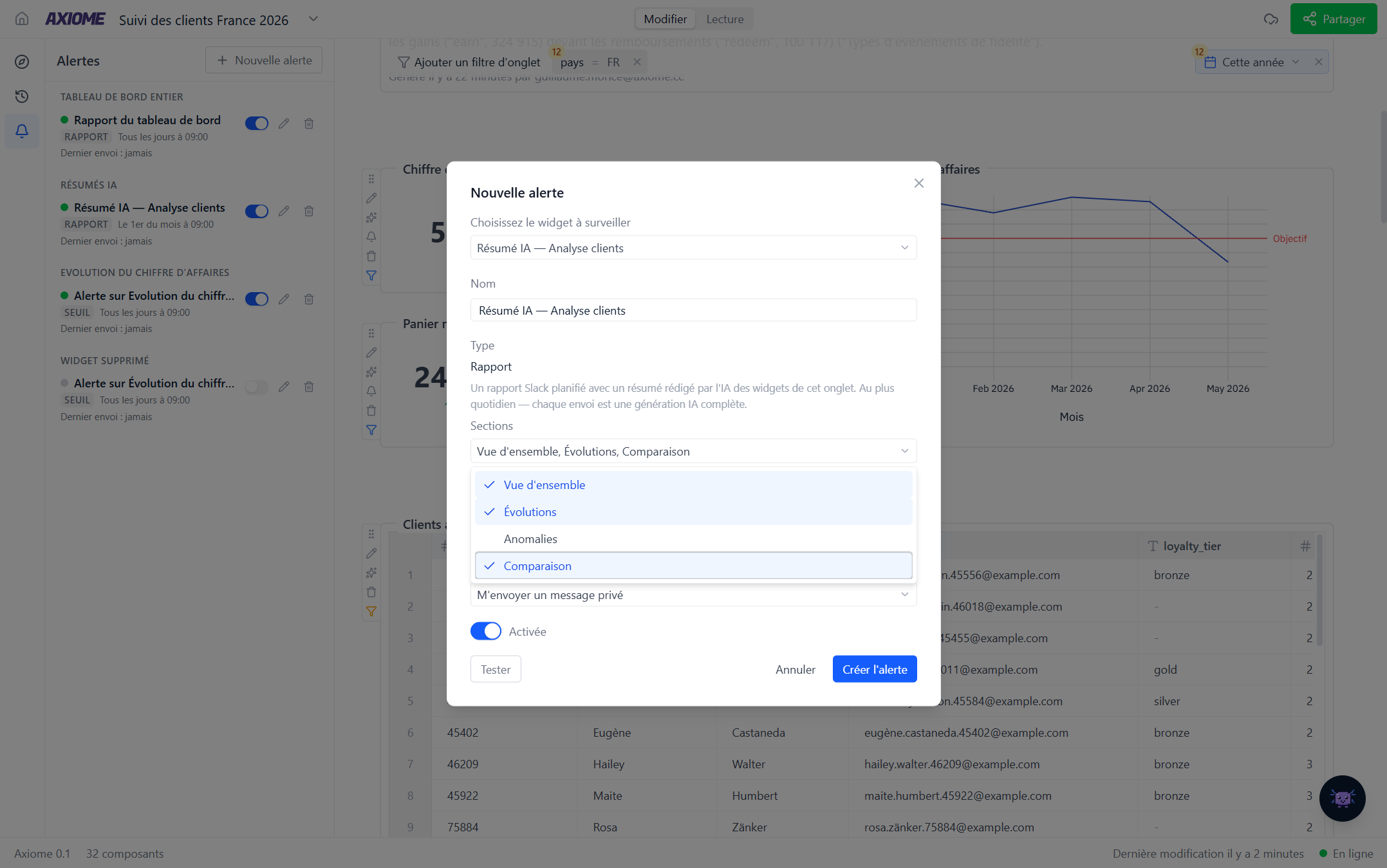
A scheduled Slack report with an AI-written summary of this tab's widgets. Runs daily at most — every delivery is a full AI generation.
Instead of raw values, Axi reads the tab and writes the commentary — what the numbers say, what moved, what looks off. It's the closest thing to having an analyst send you a Monday briefing.
Pick which angles it covers with Sections:
- Overview — the state of play
- Evolutions — what changed
- Anomalies — what looks unusual
- Comparison — how things stack up
Overview and Evolutions are selected by default. Choose only what you'll read: a shorter list means a sharper summary.
Choosing a frequency
The same choices as threshold alerts — every 15 minutes through monthly — with one exception: AI summary reports run daily at most, since every delivery is a full AI generation. The faster options simply aren't offered for them.
For a report, match the schedule to the meeting: weekly on Monday morning before the team call, monthly on the 1st for the board pack.
Where it goes
A channel (#direction, #growth) or your own DM via Send me a direct message. Private channels appear once the Axiome Slack app has been invited to them.
A report to a channel makes the number a shared object — everyone gets the same figure at the same time, and the conversation happens right under it.
Language
An AI summary report is written in your language at the moment you create it — a report has no live reader to adapt to. Create it from a French interface and it stays in French for everyone who reads that channel.
"Send an AI summary of this tab to #direction every Monday at 9" — Axi builds the whole thing. Check the result in the Alerts panel and hit Test to see it land.