Usage and AI credits
Who can do this
Administrators with the Usage permission.
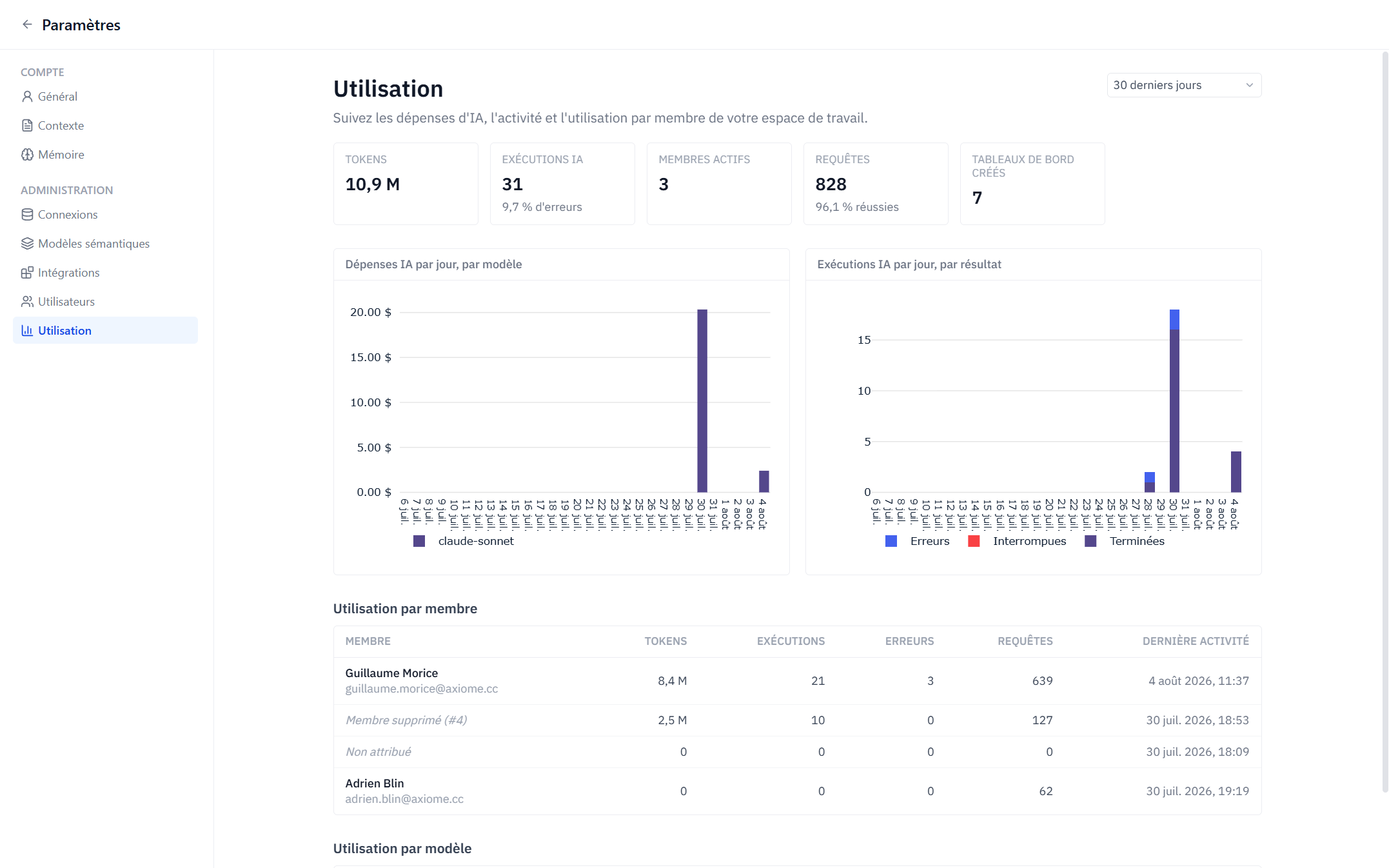
Settings → Admin → Usage gives administrators a live view of the workspace's activity and AI credit usage, over the last 7, 30, or 90 days or this month.
Key indicators
- AI credits used — credits consumed by AI runs over the period (runs whose model has no configured price are counted separately as unpriced, so the credits shown are a floor).
- Tokens — input and output tokens consumed.
- AI runs — number of Axi executions, with the error rate.
- Queries — database queries executed, with their success rate.
- Active members and dashboards created over the period.
Charts and breakdowns
- AI credits used per day, by model — see which models drive usage.
- AI runs per day, by outcome — completed, aborted, errors.
- Usage by member — tokens, credits, runs, errors, queries, and last activity per person. On the This month range, each member's credits also show as a percentage of their monthly allowance. Deleted members remain visible as Deleted member.
- Usage by model — provider, tokens in/out, credits, runs, and error rate per model.
How the credit allowance works
- Each member gets a monthly AI credit allowance, set by the workspace plan — it isn't editable per user.
- Credits are consumed by the AI features a member triggers: Axi conversations and AI summary refreshes. Summaries generated automatically for scheduled reports don't consume anyone's credits.
- The allowance resets on the 1st of each month. Members see their own meter in the chat input as they go.
- When a member has used up their credits, their AI chat and summary refreshes are paused until the reset — everything else in Axiome keeps working for them.
- Runs on your own API key (BYOK) never consume credits and are not included in the credits figures; their tokens and runs still appear in the activity counts.
Reading the numbers
- A rising error rate on AI runs often points at a curation gap — questions the semantic layer can't answer cleanly.
- Unpriced runs mean a model has no configured price; their tokens are still counted and the credits shown are a floor.
- Usage appears as your team signs in, runs conversations, and executes queries — a fresh workspace legitimately shows an empty page.