Connecting PostgreSQL
What you'll need
- Host and port of the database server (default port:
5432). - Database name.
- A username and password — ideally a dedicated read-only role.
- Whether the server requires SSL (recommended, and required by most managed providers).
Create a read-only role (recommended)
Axiome only ever reads from your database. Create a dedicated role with just enough access:
CREATE ROLE axiome_reader LOGIN PASSWORD '...';
GRANT CONNECT ON DATABASE mydb TO axiome_reader;
GRANT USAGE ON SCHEMA public TO axiome_reader;
GRANT SELECT ON ALL TABLES IN SCHEMA public TO axiome_reader;
ALTER DEFAULT PRIVILEGES IN SCHEMA public GRANT SELECT ON TABLES TO axiome_reader;
Add the connection in Axiome
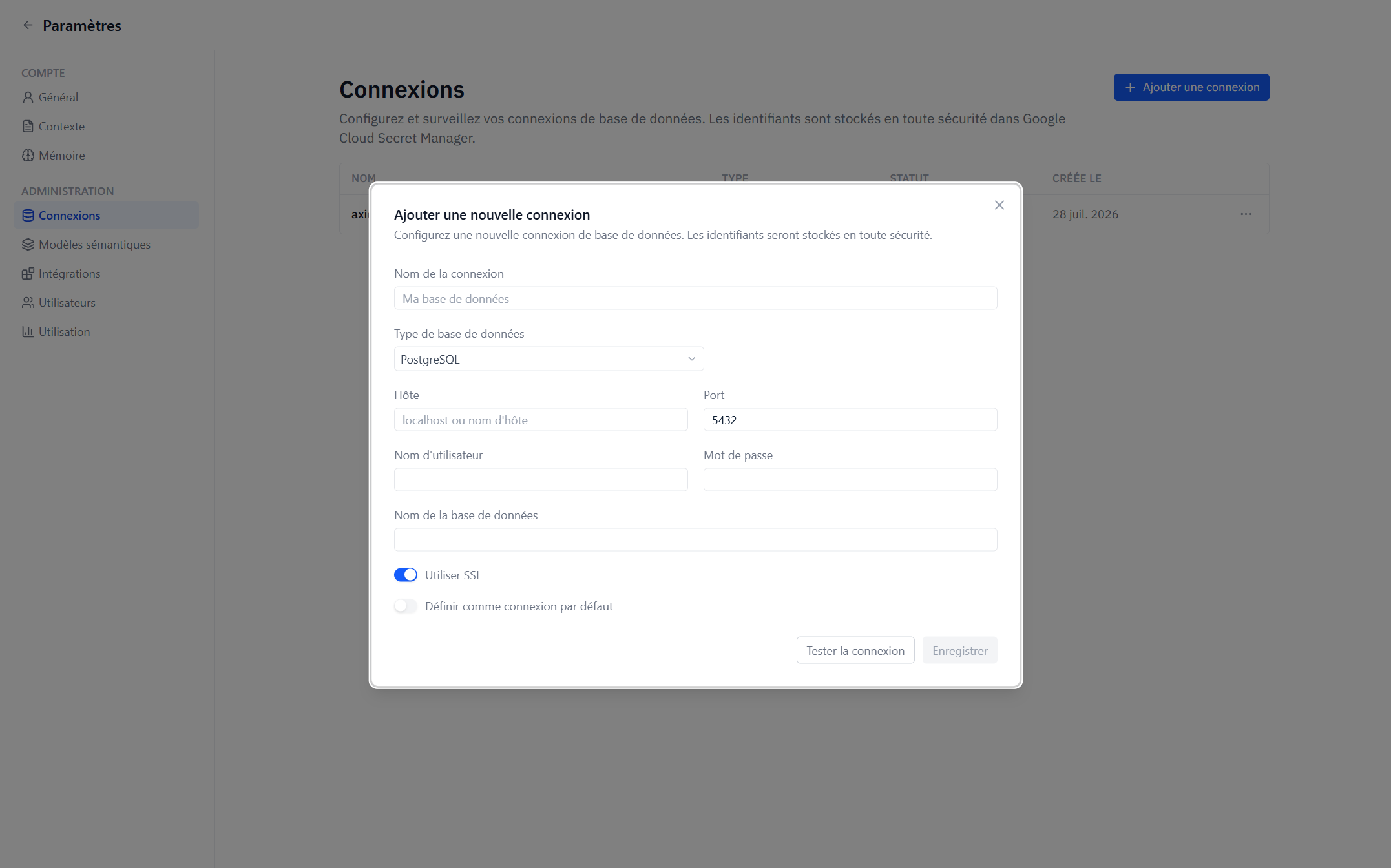
- Go to Settings → Admin → Connections → Add Connection and choose PostgreSQL.
- Fill in Host, Port, Username, Password, and Database Name.
- Enable Use SSL if your server requires it.
- Click Test Connection, then Save.
The password is stored in Google Cloud Secret Manager and used server-side only.
Network access
Axiome's servers must be able to reach your database. If it sits behind a firewall or in a private network, allow inbound connections from Axiome — contact your Axiome representative for the addresses to allowlist.
Troubleshooting
| Symptom | Likely cause |
|---|---|
| Test times out | Host/port unreachable — firewall or wrong host |
| Authentication failed | Wrong username/password, or the role can't CONNECT to this database |
| SSL error | The server requires SSL and Use SSL is off (or vice versa) |
| Tables missing from semantic models | The role lacks USAGE on the schema or SELECT on the tables |